Checkout reference
Food Online adds three blocks to the WooCommerce Checkout block. For the classic [woocommerce_checkout], see Classic menu and checkout.
Set up
Section titled “Set up”- Under Food Online Premium → Checkout, set Checkout engine to Checkout Blocks.
- Make sure your checkout page contains the WooCommerce Checkout block, and that it is the checkout page under WooCommerce → Settings → Advanced.
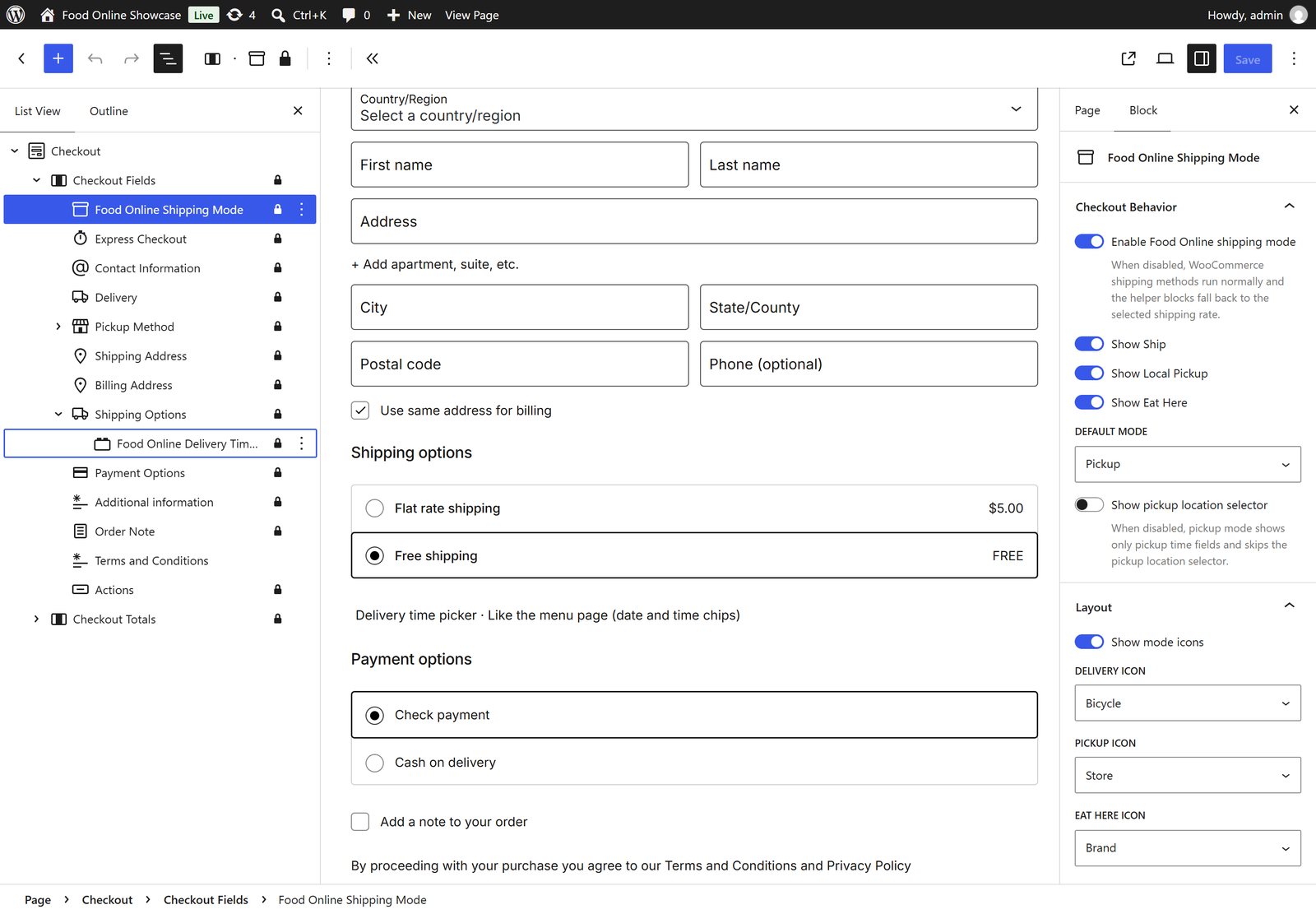
- Open the checkout page in the editor. Food Online has added Food Online Shipping Mode (in the checkout fields), Food Online Delivery Time Picker (under the shipping options) and Food Online Pickup Time Picker (under the pickup options). They are locked in place; select them to change their settings.
Food Online Shipping Mode
Section titled “Food Online Shipping Mode”The guest chooses delivery, pickup or eat in. The buttons are labeled Delivery, Pickup and Eat In by default. The mode chosen on the menu page is preselected.
| Panel | Settings |
|---|---|
| Checkout Behavior | Turn the block on, which modes to show, the default mode, and the pickup location selector. |
| Layout | Mode icons and their size, button height, gap and corner radius. |
| Checkout Fields | Which fields each mode asks for, see below. |
| Labels | Button text for each mode (Ship label, Local Pickup label, Eat Here label) and the step title. |
| Colors | Background, text and border colors for active and inactive buttons. |

Checkout fields per mode
Section titled “Checkout fields per mode”Turn on Use custom checkout fields to ask for fewer fields when they are not needed, for example only name and phone for pickup. For each mode, choose a quick preset or set the visible address fields, required field behavior and required address fields:
- Ship – delivery shipping fields. With Use separate delivery shipping and billing rules, billing fields are set separately.
- Local Pickup – pickup billing fields.
- Eat Here – eat in billing fields, and an optional or required table number.
Delivery and pickup time pickers
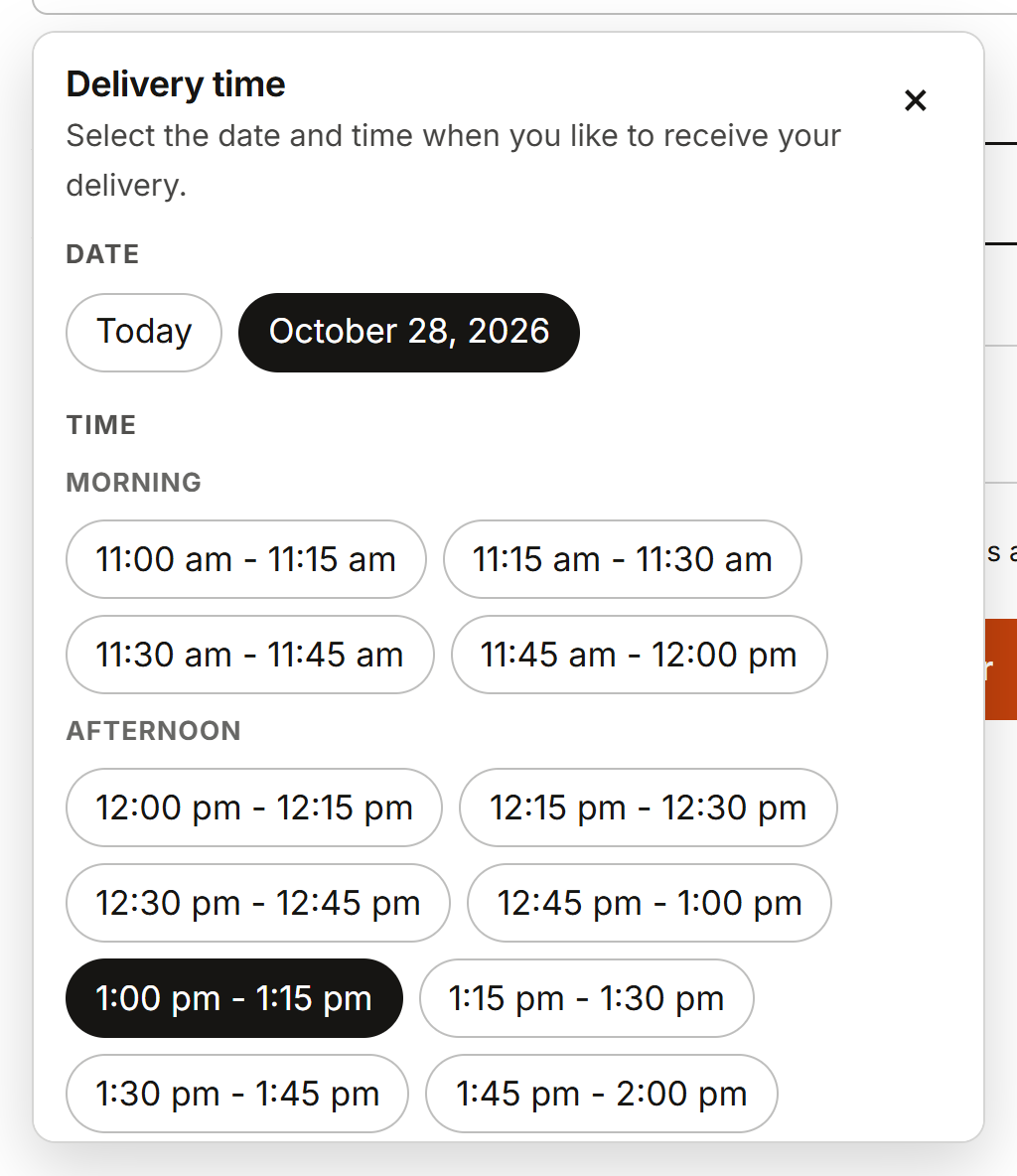
Section titled “Delivery and pickup time pickers”Food Online Delivery Time Picker and Food Online Pickup Time Picker let the guest choose a date and time. They show when the time picker is turned on for that mode, see Opening hours and order times. The pickup time picker also shows the pickup location selector, and is used for eat in.
Display → Time picker style:
- Classic (drop-down lists) – date and time drop-down lists.
- Like the menu page (date and time chips) – a compact field that opens a panel with date and time choices.


Checkout settings
Section titled “Checkout settings”Under Food Online Premium → Checkout → Shared checkout rules, for both checkouts:
- Minimum Order Value and Minimum Items per Order for delivery orders.
- Show delivery mode in admin orders table? adds a column with the mode in WooCommerce → Orders.