Blocks reference
The settings of each Food Online block, as they appear in the block sidebar. For how to use the blocks, see Menu page and design. The checkout blocks are in the Checkout reference.
Food Online Menu
Section titled “Food Online Menu”Products grouped by category, with a product popup and a mini cart. Supports wide and full width.
| Panel | Settings |
|---|---|
| Product Selection | Source: Filter by category (choose and order the categories) or Pick specific products. |
| Display Settings | Design template, content alignment, products per page, columns, order by and direction. What a product card shows: image, title, description, price, badge, product labels from tags, promo strip, add-to-cart button with style and symbol, in-cart badge, link to the product page. |
| Category presentation | Group products by category, category titles, category image and its position, image width and banner height. |
| Category navigation | A category navigation menu and its alignment. |
| Search | Product search. |
| Mini cart | Show and place the mini cart (right or left), sticky mini cart, mobile layout (expanded, hidden or summary bar), summary preset, rows for subtotal, shipping, fees and total, shipping labels per mode, title and checkout button text, 2026 template accent. |
| Menu surface | Max width, card gap, borders, radius and padding, and menu colors. |
| Product style | Card layout (vertical, horizontal or grid), image size and alignment, product title and description fonts. |
| Category style | Category title size, alignment, weight, transform and font. |
| Mini cart surface | Mini cart width, padding, text sizes, spacing, border, radius and shadow. |
| Checkout button | Button width, radius and border, and mini cart colors. |
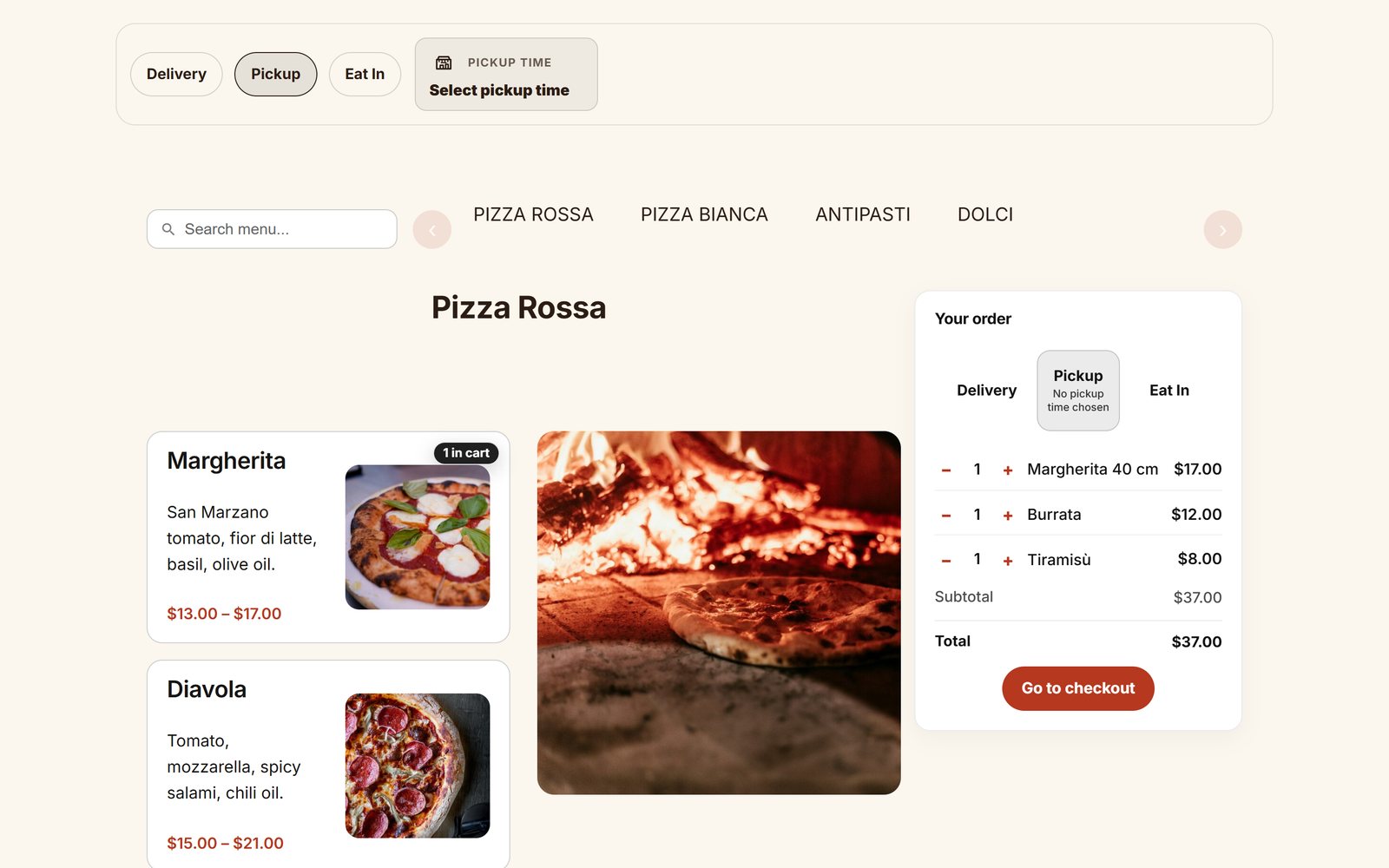
Food Online Menu Flow
Section titled “Food Online Menu Flow”A container with an order bar and a Food Online Menu.
| Inner block | Shows |
|---|---|
| Menu Flow Top Bar | The order bar: mode, address, time and opening hours. |
| Menu Mode Selector | Delivery, pickup or eat in. |
| Food Online Address Checkup | The address or postcode check. |
| Menu Flow Time Picker | The time the guest chooses. |
| Menu Flow ETA | The expected time, from Order Time Management. |
| Food Online Menu | The menu. |
| Panel | Settings |
|---|---|
| Selection Layout | Show the top bar, the primary mode switch and the mode switch in the mini cart. |
| Time Blocks | Use the Time Picker block or the ETA block. |
| Topbar and validation feedback | Top bar hover behavior and the effect while an address is being checked. |
| Modes | Allow delivery, pickup and eat in; the default mode; empty the cart when the mode changes. |
| Delivery Form | Show the address check. |
| Menu Filtering | Filter the menu by the selected mode, using Place Order / Menu by Mode schedules. |
| Opening hours | Off, from the Availability Schedule, or free text. |
| Display settings (time and ETA blocks) | Title, icon, time info and empty text in the mini cart, pickup location, “As soon as possible”, ETA format and text before the time. |
| Mode icons | Icons for the order, pickup, delivery and eat in modes, and icon size. |
Food Online Address Checkup
Section titled “Food Online Address Checkup”| Panel | Settings |
|---|---|
| Checkup Mode | Validation method: address (Google) or postcode. |
| Form behavior | Submit button, form label, where feedback is shown, keep visible in Menu Flow, effect while checking. |
| Field styling | Field border radius and width. |
| Address checkup | Google Maps API key, Places API mode, suggestions biased by browser location or region, geolocation and accuracy, price information, address suggestion types. |
| Validation rules | Accepted address precision and response types, map fallback when the address is not precise enough, postcode format check. |
| Postcode Checkup | Price information and geolocation for the postcode check. |
| Location & country | API key and region for the postcode check. |

Legacy Menu Address Validation
Section titled “Legacy Menu Address Validation”Kept so that pages built with earlier blocks keep working. Use Food Online Address Checkup for new pages.