Live Order Confirmation
This documentation is describing the latest release of the plugin Live Order Confirmation.
Installation
Section titled “Installation”-
- Download the extension from your Arosoft Dashboard
- Navigate to Plugins -> Add New
- Then click Upload Plugin
- Now click Choose File and select the .zip
- Click Install Now
- Click Activate Plugin
Adjust translations or translate to a new language with Loco Translate
Update of new version
Section titled “Update of new version”- Download the new version from your Arosoft Dashbord
- Remove your current installation of Live Order Confirmation from your Plugins tab at the Wordpress dashboard.
- Install the new version as above.
Changelog
Section titled “Changelog”Get information on the latest and previous releases from the changelog.
Introduction
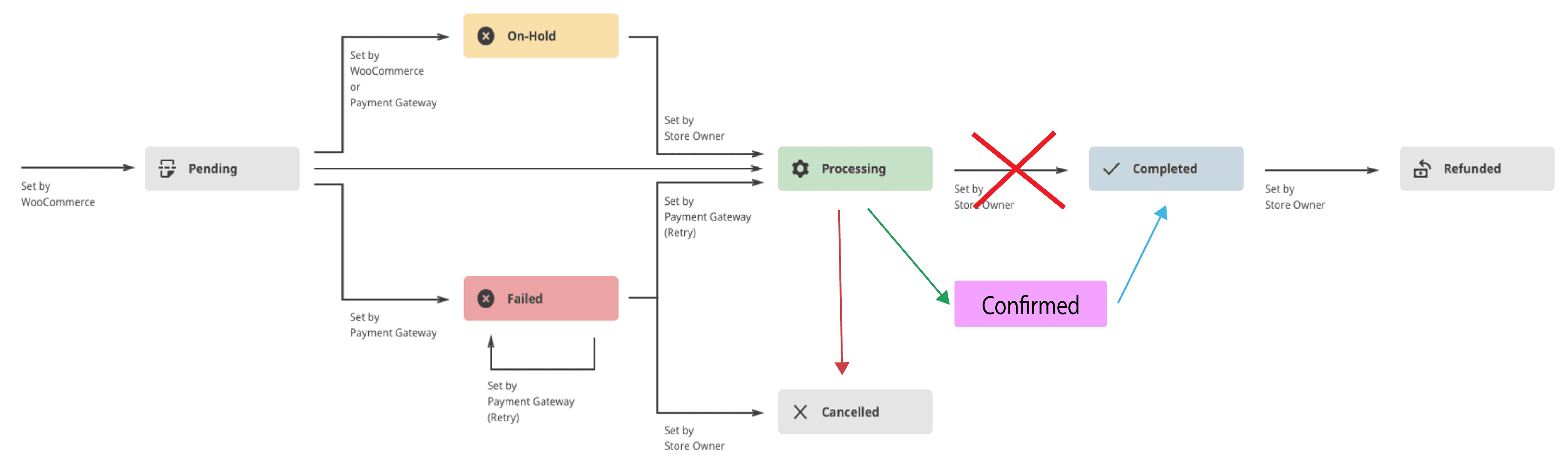
Section titled “Introduction”When an order reaches the processing order status, it will be open for confirmation or cancellation (rejection). All product orders require processing, except those that only contain products that are both Virtual and Downloadable.
Those kinds of orders will not be able to confirm.
If you are using payment gateways that accomplish the payment directly, you will have to refund the payment manually if you chose to reject an order.
Learn more about standard WooCommerce order managing by their documentation.
Features
Section titled “Features”Order Fulfillment Time
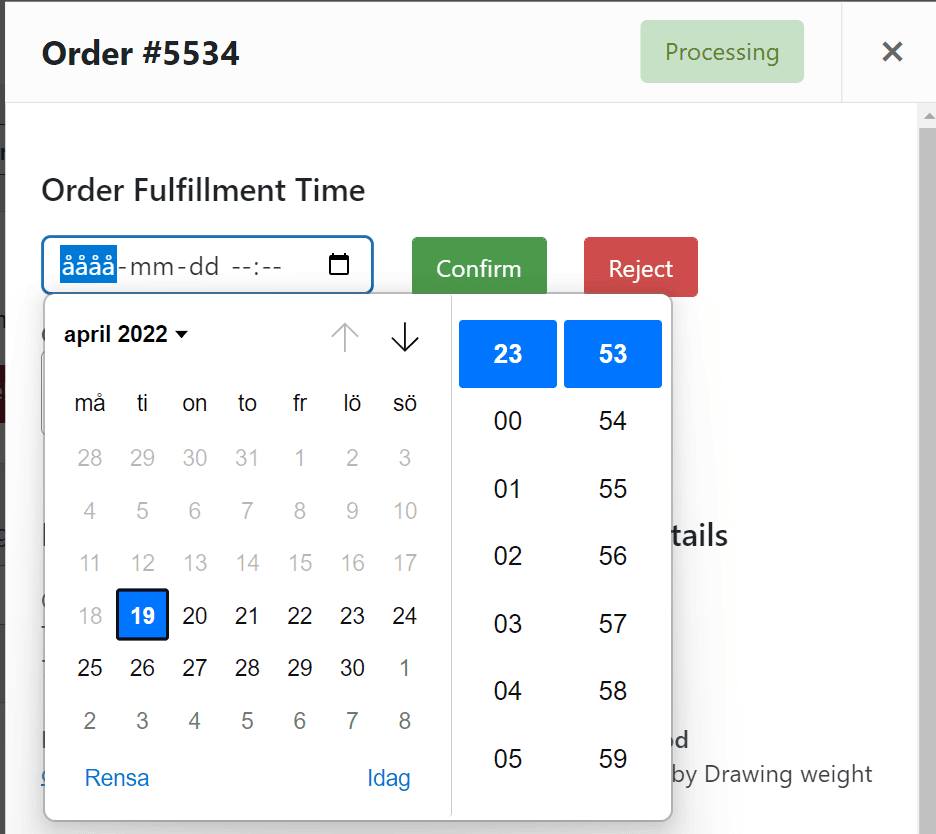
Section titled “Order Fulfillment Time”It is possible to specify an order fulfillment time when the order is confirmed. The fulfillment time will be communicated to the customer on the “order received” page and in the confirmation email.
To activate the feature, check the option on the plugin settings page.

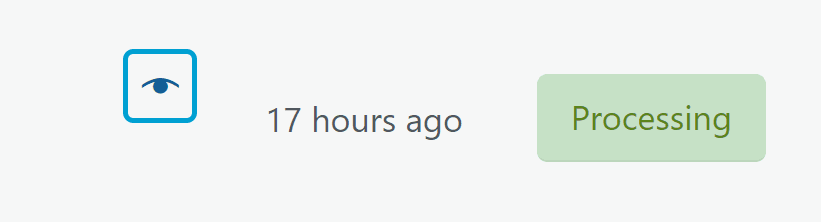
When a new order is received, click the “eye” to open the order preview window.
Then select a fulfillment time and confirm the order.
Reject Orders
Section titled “Reject Orders”Add the ability to reject orders by checking the option below.

Confirmation & cancelation e-mail
Section titled “Confirmation & cancelation e-mail”The plugin adds two email types. “Confirmed Order to Customer” will be sent when an order is confirmed and “Cancelled Order to Customer” will be sent when an order is rejected.
It is possible to manage the email types like other WooCommerce emails by going to WooCommerce-> Settings-> Emails.
It is also possible to override the email templates by copying them to your Theme folder.
It is a good idea to unactivate the email type “Processing order”. The two new email types will substitute it and it might be confusing for the customer if also that email is sent.

Advanced Settings
Section titled “Advanced Settings”Timeout
Section titled “Timeout”When an order is placed the customer will be asked to wait for order confirmation. If the order isn’t confirmed or rejected for a specified time frame, the customer will be asked to wait for the order response via email.
It is possible to adjust this time frame in the advanced settings section. See the figure below.

Admin Live Order View
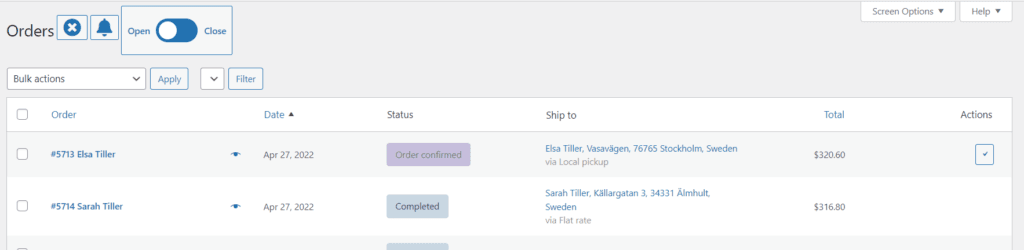
Section titled “Admin Live Order View”The Live Order page pushes new orders into the table and alerts the shop manager with a sound and a flash.
It is also possible to Open and Close the WooCommerce shop directly from the Live Order View.
Get the plugin
Section titled “Get the plugin”Buy Live Order Confirmation on arosoft.se →
Downloads and licenses are in My account. Questions? Use Contact & support.